









What Is LMS in Warehouse? The Hidden Labor Cost Explained
By Daryl Grove · October 1, 2026 · 15 min read
What Is Lms In Warehouse?
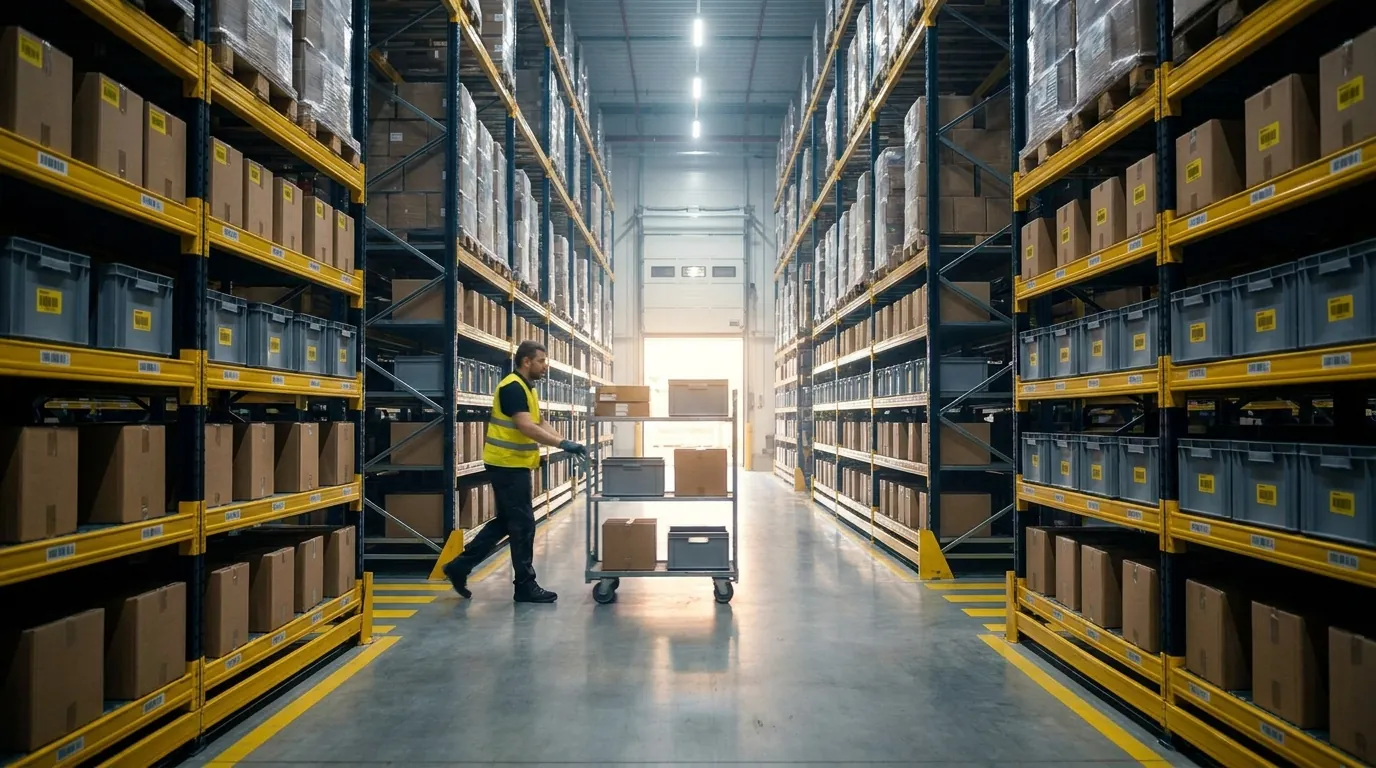
What is LMS in warehouse operations? It is a labor management system: software that measures how long each task takes, compares that time against a standard, and reports productivity by person, team, shift and client account. It turns daily floor activity into data you can plan, coach and budget against.
A WMS tells a worker what to do next. The LMS answers a different question: how well was that work done, and at what cost? Most rely on engineered labor standards, which are expected task times built from measurable factors such as travel distance, unit count, item weight and handling steps. A flat target like "100 picks per hour for everyone" ignores real differences in the work. An engineered standard recognizes that pulling ten small items from one aisle is faster than picking three cases from opposite ends of the building.
The result is a fair, comparable score, usually shown as a percentage of standard. A picker at 95% on a difficult assignment may be outperforming a colleague at 110% on easy work, and the system makes that visible. That fairness matters on the floor. People accept goals more readily when they can see that a hard assignment is weighted differently from an easy one, and supervisors can coach based on facts instead of impressions.
What does a warehouse LMS track?
It captures time and output at the task level, then rolls them up into productivity and cost views:
- Direct task time: minutes spent receiving, putting away, picking, packing, loading or counting.
- Performance to standard: actual time versus expected time for each task.
- Productivity rates: pick rate (lines or orders per hour) and UPH (units per hour) by person, zone or shift.
- Indirect and idle time: meetings, equipment waits, cleaning, and gaps between scans with no recorded task.
- Travel time: walking or driving between locations, often the largest hidden loss in picking.
- Incentive data: scores feeding pay-for-performance or recognition programs, if you run them.
- Staffing forecasts: hours required for expected volume, based on historical rates and order profiles.
Not every operation uses every item on this list. A business that does not pay incentives can ignore that piece, while a seasonal shipper may care most about staffing forecasts heading into its busiest months.
How does an LMS collect data from scanners and mobile devices?
In most cases it needs no extra data entry. It reads the events workers already create on handheld RF devices, wearable scanners, tablets or vehicle-mounted computers.
Each scan carries a user ID, timestamp, location and task type. When a picker scans a bin, then a product, then confirms quantity, the system records start and end times. It then compares the elapsed time with the target for that specific work. Workers log in and out of indirect activities such as training or housekeeping, so nonproductive time is categorized rather than counted as idle. Supervisors see live dashboards showing who is on pace, who needs help and where work is backing up.
Because the data comes from normal work, its quality depends on discipline. Each worker needs a personal login, and scans have to happen at the moment of the task rather than in a batch afterward.
Why is labor the largest controllable warehouse cost?
Labor is widely regarded as the biggest controllable expense in most distribution operations. Rent, utilities and equipment leases are largely fixed in the short term, while labor hours flex every day.
That makes labor the cost you can influence this week. Without productivity visibility per person, task or client, you cannot tell whether overtime comes from volume, poor slotting, excess travel or a training gap. An LMS supplies that view. The gains depend on starting maturity, data quality and how consistently managers act on what they see.
Consider a building where the manager knows the team shipped more cases than last week but cannot say whether each paid hour produced more. That gap between output and effort is exactly what labor data closes.

What Is Warehouse Operations? The Core Lifecycle Step by Step
Warehouse operations cover the physical and administrative work that moves goods into, through and out of a building: receiving, putaway, storage, replenishment, picking, packing, shipping, returns and counting. Each step consumes labor, and each has a metric that shows whether it is healthy.
Think of the work as a chain where problems compound. A slow dock delays putaway, stock stays out of reach for pickers, and orders ship short or need expedited freight. A WMS directs that chain, and an LMS measures the labor inside it. Written standard operating procedures for each step give new hires and labor standards the same consistent baseline.
How do receiving and putaway work?
Receiving means unloading inbound shipments, checking them against the purchase order or advance ship notice (ASN), and recording what arrived, usually with RF or RFID scanning. Putaway moves those goods to their storage locations.
Watch dock-to-stock time, the hours between arrival at the door and pickable inventory, along with receiving accuracy. Every later step trusts that first count.
What are storage, slotting and replenishment?
Storage holds inventory in racks, shelving, bins or floor positions. Slotting decides which SKU goes where, typically placing fast movers near packing at waist height to cut travel. Replenishment refills forward pick faces from reserve stock before they run empty. When it lags, pickers wait or skip lines. Inventory accuracy, the match between system records and physical stock, defines this stage.
What are wave, batch and zone picking?
Picking is usually the most labor-intensive step. Common methods include:
- Wave picking: orders release in scheduled groups, often timed to carrier pickups. Our comparison of wave and waveless picking covers when each approach fits.
- Batch picking: one picker gathers items for several orders in a single trip.
- Zone picking: each picker owns an area, and orders pass between zones or consolidate later.
Track pick rate and UPH alongside pick accuracy.
How do packing and shipping close out an order?
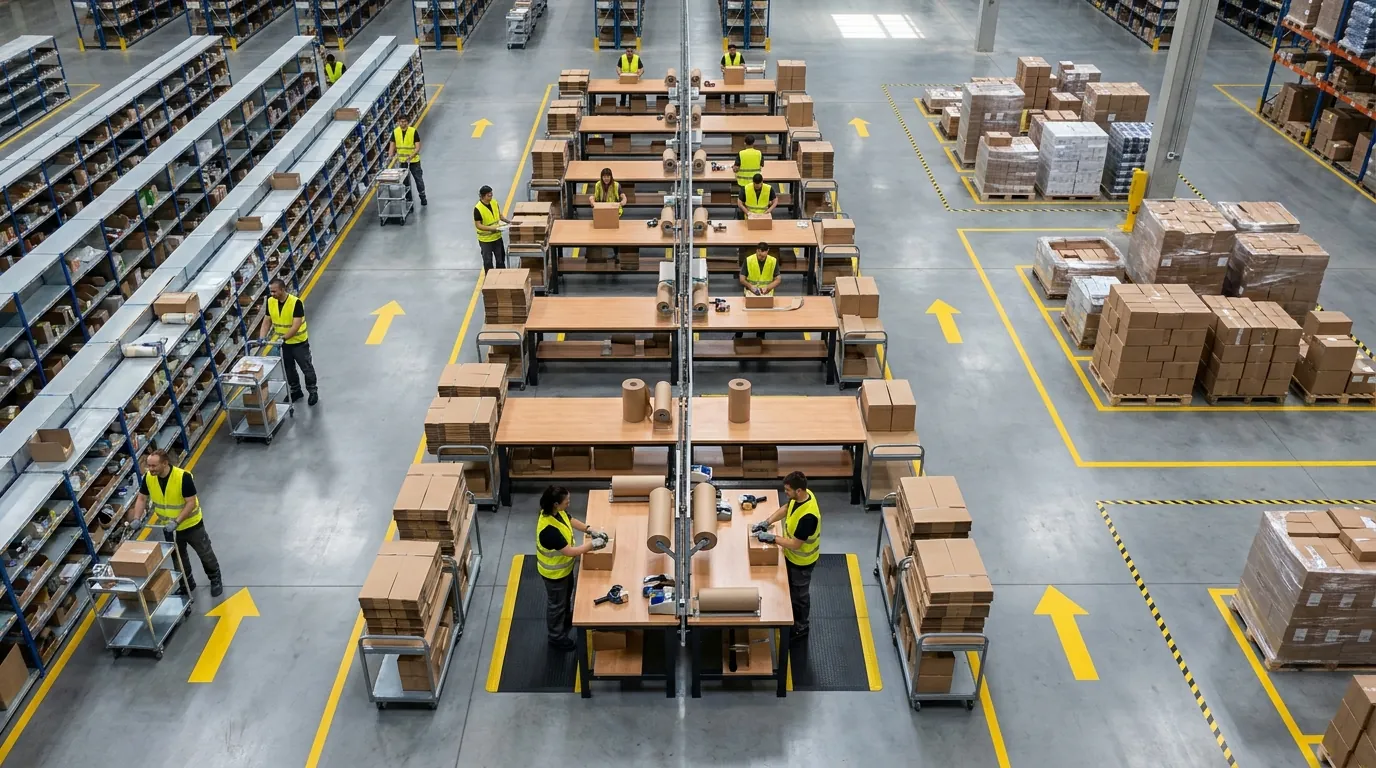
Packing verifies items, selects a carton, adds dunnage and documents, and labels the package. Shipping stages and loads freight onto the correct carrier and confirms departure. Order accuracy measures packing quality. On-time shipping, the share of orders leaving by their cutoff, measures shipping. 3PLs usually see both written into client SLAs. Pack stations are also an easy place to start measuring labor, since each station's output is simple to count.
Why do returns and cycle counting matter?
Returns require receiving, inspecting and choosing whether to restock, refurbish or dispose. This work is labor-heavy and often under-measured, especially in eCommerce. Processing time is the metric to watch, because items sitting in a returns cage are inventory you cannot sell. Cycle counting checks a small rotating set of locations instead of shutting down for a full physical inventory, so records stay trustworthy while work continues.
Which KPI should you watch at each step?
Published benchmarks vary by sector and order profile, so treat them as typical ranges rather than universal targets. Here is a quick reference for the full lifecycle:
- Receiving (unload, verify, record): dock-to-stock time plus receiving accuracy.
- Putaway (move goods to storage): putaways completed per hour.
- Storage and slotting (hold and position stock): record accuracy and space utilization.
- Replenishment (refill forward locations): how often pickers find an empty slot.
- Picking (pull items for orders): pick rate or UPH, along with errors caught at verification.
- Packing (verify, carton, label): order accuracy and orders packed hourly at each station.
- Shipping (stage, load, confirm): on-time departure against carrier cutoffs.
- Returns (receive, inspect, disposition): average processing time per return.
- Cycle counting (rolling location counts): count variances by zone.
What Is a Warehouse Management System?
A warehouse management system (WMS) is software that controls inventory and directs work inside a facility. It tracks what you have, where each unit sits, and which task should happen next. Then it records every task as workers complete it.
The difference between a WMS and a spreadsheet or an accounting package comes down to location-level control. A spreadsheet might show 400 units of a SKU on hand. A WMS shows that 120 sit in a forward pick bin and 280 are on a reserve pallet in aisle 14. It also shows that 24 of those units are already allocated to orders waiting for a picker.
That task-by-task history is also the foundation for labor tracking. Each scan becomes a timestamped data point, so an LMS has something concrete to measure instead of relying on supervisor estimates.
What are the core functions of a WMS?
Most platforms share a common set of capabilities:
- Inventory and location control: real-time quantities by SKU, lot, serial number and bin.
- Barcode and RFID scanning: capturing each movement at the point of work, which cuts down on keying errors.
- Task direction: telling workers what to receive, put away, replenish, pick or count, and in what order.
- Order management: allocating stock, releasing waves or batches, and tracking status through shipping.
- Integrations: exchanging data with ERP systems, eCommerce platforms, parcel carriers and EDI (electronic data interchange, the standard format trading partners use to send orders, ASNs and invoices).
Together, these functions give managers accurate, current inventory data, which is a large part of real supply chain visibility.
What types of WMS are there?
Options generally fall into a few categories:
- Standalone (best-of-breed) WMS: dedicated warehouse software with deep functionality, connected to your ERP and other business systems.
- ERP warehouse module: warehouse features built into an ERP. These tend to be lighter on directed work, slotting and labor data.
- Cloud vs. on-premise: a cloud WMS is hosted by the vendor and reached through a browser or mobile device, usually on a subscription. An on-premise system runs on your own servers, which gives you more control along with more IT responsibility.
The right fit depends on order complexity, the number of sites you run, integration requirements and how much internal IT capacity you have.
What extra WMS capabilities do 3PLs need?
Third-party logistics providers store and handle goods for many clients in shared space. That adds requirements a single-company warehouse rarely faces:
- Multi-client inventory segregation: separate ownership, rules and reporting for each account.
- Billing: capturing storage, handling and value-added service charges, such as kitting or labeling, at the moment the activity happens.
- Client portals: self-service access so customers can check inventory, orders and shipments without calling your office.
- SLA tracking: measuring performance against each client's contracted accuracy and turnaround commitments.
These features matter for labor planning because they tie hours to specific clients rather than to the building as a whole. Suppose a 3PL sees that one account consumes far more picking time than its billing reflects. With that information, the 3PL has the evidence it needs to reprice the contract or rework the process.

LMS vs. WMS vs. ERP: How Do They Work Together?
The ERP runs the business, the WMS runs the warehouse, and the LMS manages the labor inside it. They share data, but each answers a different question. The ERP (enterprise resource planning) system handles finance, purchasing and sales orders, then passes orders and purchase orders to the WMS. The WMS directs and records the physical work. The LMS applies labor standards to those task records and turns them into productivity, cost and staffing insight. Some WMS platforms include LMS features, while others connect to a separate system. This guide to how WMS, TMS and LMS fit together covers that split in more detail.
When the layers connect, "we shipped 8,000 orders yesterday" becomes "we shipped 8,000 orders at a known cost per order, and zone C picking ran 18% below standard because of replenishment delays."
How do LMS, WMS and ERP compare?
Here is the comparison in brief:
- ERP: its job is running the business through finance, purchasing and sales. It holds orders, invoices, supplier records and costs, and its main users are finance staff and executives. The question it addresses is "Are we profitable?" and the outcome is financial control and reporting.
- WMS: this layer controls inventory and directs tasks. Its data is locations, quantities, scans and shipments, used by workers, supervisors and inventory control. It answers "Where is it, and what happens next?" and delivers inventory accuracy, order accuracy and on-time shipping.
- LMS: this one measures, plans and improves labor. It works with task times, standards, performance scores and hours, and it serves operations managers and labor planners. Its question is "How efficiently was the work done, and by whom?" Outcomes include higher UPH, less overtime, reliable staffing plans and labor cost broken out by client.
What does the WMS direct and the LMS measure at each step?
Following the same lifecycle, here is how the two systems divide the work:
- Receiving: the WMS handles ASN matching and quantity checks, while labor data shows minutes from door to pickable stock per receiver and cases handled hourly.
- Putaway: directed location assignment comes from the WMS; the labor side tracks putaway rate and travel time.
- Slotting: slot rules live in the WMS, and a rising travel share of pick time is the signal that a layout needs attention.
- Replenishment: min/max triggers generate refill tasks, and the LMS reports how long pickers stand at empty slots.
- Picking: waves, batches or zones are released by the system, then UPH is scored against the engineered standard along with idle minutes.
- Packing: verification and carton selection are system-directed, and output is measured as orders per station hour.
- Shipping: manifests and load confirmation are generated automatically, with loading time per trailer as the labor measure.
- Returns: disposition rules guide each decision, and throughput is tracked as returns processed per shift.
- Cycle counting: count and recount tasks are issued on schedule, and counters are measured by locations completed each hour.
Reading the list top to bottom shows why the two belong together. One creates the records; the other gives them meaning.
Illustrative scenario: finding a picking bottleneck
A hypothetical distributor running two shifts has watched overtime climb for three months, even though order volume has stayed flat. Task-level data shows pickers in one zone working at about 75% of standard, compared with nearly 100% elsewhere. The gap comes from travel and idle time, not from picking itself. Replenishment is released only at shift start, so pickers wait at empty forward locations. Switching to min/max triggers and re-slotting the twenty fastest SKUs near packing fixes the root cause. Without that visibility, the likely response would have been more headcount.
Illustrative scenario: exposing an unprofitable 3PL client
A hypothetical 3PL bills fifteen clients standard per-order and per-unit rates. Revenue is growing, but margin is shrinking. Once labor hours are tied to client accounts, one eCommerce client stands out. Custom inserts, gift wrapping and scattered single-unit picks push its labor cost per order well above what it is billed. The 3PL can now reprice value-added services, propose a dedicated slotting zone, or bring documented cost-to-serve figures to contract renewal. Labor visibility at the client level protects margin and keeps billing accurate.
Do You Need an LMS Yet? Signs Your Warehouse Is Ready for Labor Management
You probably need labor management when payroll is climbing faster than volume and nobody can explain the gap with data. Just as important, you need a dependable WMS underneath it, because a labor system can only measure work that gets recorded accurately.
Plenty of small and mid-sized operations sit in the middle. They have outgrown paper and spreadsheets, yet they have never tracked productivity by person or by client. Use the checklist to see where you stand, then use the vendor questions to compare options before committing to anything.
Labor management readiness checklist
Count how many of these statements are true today:
- Overtime keeps growing while order and unit counts stay flat or rise more slowly.
- You cannot state UPH or pick rate for each worker, shift or zone.
- Peak staffing comes from gut feel or last year's headcount instead of forecasted labor hours.
- Nobody knows what labor costs per order, per unit or per client.
- Supervisors spend more time gathering numbers than coaching their teams.
- Pick lists, receiving logs or productivity reports still live on paper or in spreadsheets.
- New hires take weeks to reach expected speed, and you have no way to measure how many.
- As a 3PL, you suspect certain clients cost more to serve than they pay, but you cannot prove it.
Three or more checks suggest labor visibility deserves priority. If the final item applies, treat it as urgent.
Why does accurate WMS task data come first?
Labor metrics inherit every flaw in the task data feeding them. When receipts get keyed in hours after the truck leaves, picks are confirmed in bulk, or several workers share one login, the resulting times mean nothing.
Before trusting any productivity report, confirm that your WMS:
- Captures scan-level events tied to individual user IDs and timestamps
- Directs work through assigned tasks rather than free-form movement
- Keeps inventory accurate enough that pickers are not hunting for stock
Directed tasks pay off beyond measurement. Predictable travel paths and fewer search trips cut aisle congestion, which supports the practices covered in our guide to warehouse safety. If you still run on paper or spreadsheets, the sensible first step is usually a WMS, with labor reporting layered on afterward.
What questions should you ask LMS and WMS vendors?
These questions keep vendor conversations focused on substance:
- Are labor features built into the WMS, or is the LMS a separate product that needs integration?
- Does the system support engineered labor standards, or only simple historical averages?
- How are indirect activities and idle time captured and categorized?
- Can labor hours and cost be broken out by client, by order profile and by extras such as kitting?
- How does labor data connect to 3PL billing and SLA reporting?
- Which devices are supported, and will your existing scanners work?
- How are standards updated when layouts, slotting or product mix change?
- What real-time dashboards do supervisors see on the floor?
Clear answers to these tell you more than any feature list. Request a Demo to see how Cadre Technologies approaches labor visibility inside its WMS.
Frequently Asked Questions
What does LMS stand for in a warehouse?
LMS stands for labor management system, software that measures how long warehouse tasks take and compares that time against a standard. The same acronym also means learning management system, a training tool used by HR, which can confuse search results. In warehousing, it almost always refers to productivity software that reports results by person, shift, team and client.
Is an LMS part of a WMS?
It depends on the vendor. Some warehouse management systems include labor features, while others connect to a separate LMS through an integration. In both cases, labor tracking relies on the scans, pick confirmations and putaway records the WMS captures, so accurate task data has to come first.
What KPIs does a warehouse LMS track?
Typical metrics include UPH, pick rate, percent of standard achieved, idle time, travel time, overtime hours and labor cost per order. Multi-client facilities also track cost by client. Many teams begin with just UPH and overtime, then add more measures once supervisors trust the numbers.
Why is labor considered the biggest controllable warehouse cost?
Rent, utilities and equipment leases stay largely fixed in the short term, while labor hours change every day. That makes labor the expense managers can influence this week. Without productivity data by person or client, though, it is hard to tell whether rising overtime comes from volume, poor slotting, excess travel or a training gap.
Do small warehouses need an LMS?
Not always. A small building with one shift may get enough visibility from basic WMS productivity reports. A dedicated labor tool becomes worthwhile when you run multiple shifts, see overtime creeping up, staff for seasonal peaks or serve several clients whose handling costs affect margins.
How do 3PLs use labor data for billing?
A 3PL assigns labor hours and cost to each client, order type and value-added service such as kitting or relabeling. That detail confirms every billable activity reaches the invoice and lets rates reflect actual cost to serve. It also provides documented evidence during contract renewals when one account consumes more time than its billing covers.