




See us at IWLA | March 29-31 | San Antonio, Texas | Book Now

Wave Picking Management

Make Your Order Fulfillment Easier
Step into the future of efficient warehouse management with Cadre’s putaway software. As a crucial part of our comprehensive WMS, this solution gives you access to cutting-edge putaway strategies that ensure optimal space utilization and seamless warehouse operations. Benefit from the efficiency of directed putaway, minimizing the time, resources, and potential for errors in your processes. Our software is not just about managing stock placement; it’s about utilizing smart technology to drive operational efficiency and profitability.

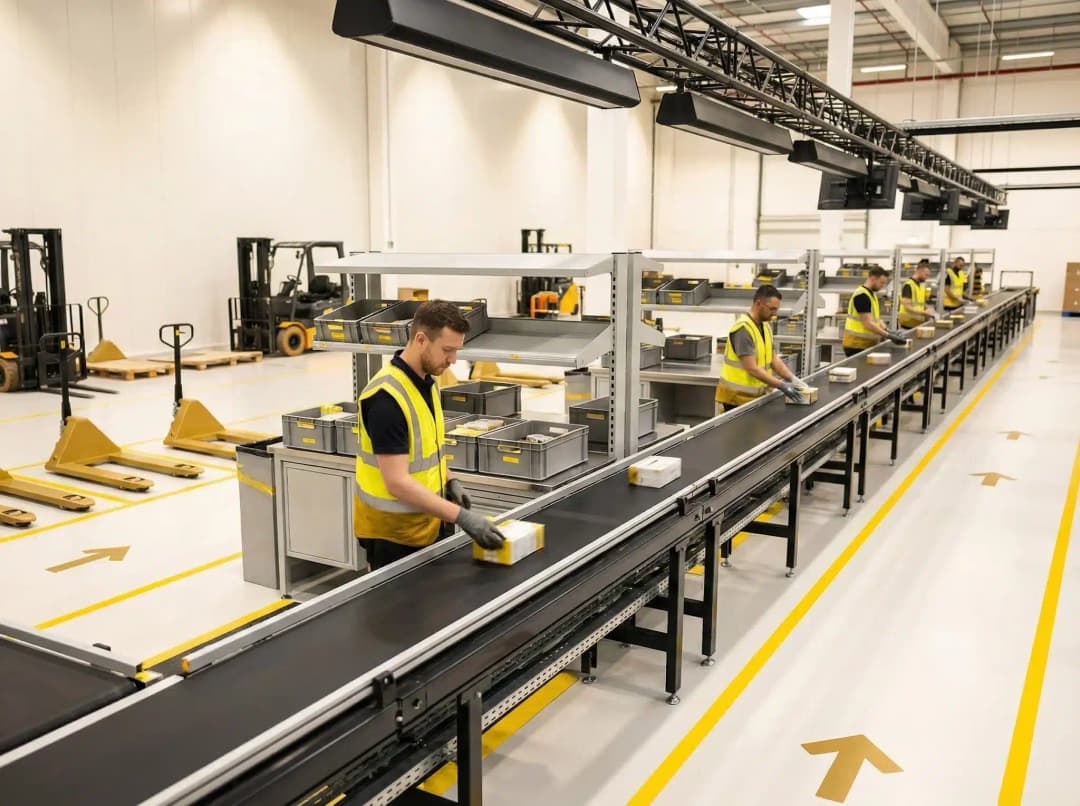
Workers in high-visibility vests operating wave picking conveyor system in modern warehouse

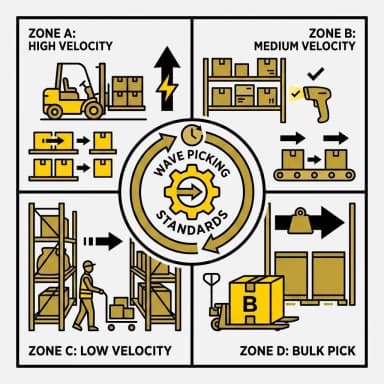
Wave picking warehouse management system workflow diagram with four operational zones

Wave Picking Standards by Zone

Set picking standards for each warehouse zone to improve workflow and maintain consistency across operations. By establishing clear guidelines tailored to specific areas, pickers can follow the most efficient paths within their assigned zones. This approach reduces unnecessary movement, which lowers travel time and minimizes fatigue among staff. Additionally, wave picking standards help balance workloads by distributing tasks evenly across zones, preventing bottlenecks during peak periods. The system can also adapt standards dynamically based on real-time data, ensuring continuous optimization of picking routes. As a result, the overall picking process moves faster, contributing to more timely order fulfillment and better use of resources throughout your facility.

User and Picker Profile Assignment

Assign specific roles and profiles to users and pickers based on their skills and responsibilities within the warehouse. This targeted assignment helps ensure that each team member is clear about their duties during the picking process. By aligning tasks with individual strengths, it reduces errors and speeds up order fulfillment. The system allows for customization of profiles to match varying levels of expertise, enabling more efficient task distribution. Additionally, this approach supports better tracking of performance and accountability throughout daily operations. Over time, data collected from these profiles can be analyzed to identify training needs and optimize workforce management.

Yellow assignment icon showing worker with gear transitioning to completed task with checkmark

Warehouse management system icon with location pin, house symbol, database and tools

Drop Location Setup and Management

Carefully setting up and managing drop locations plays a crucial role in simplifying the process of order consolidation. Proper organization of these areas helps warehouse staff quickly identify where items should be placed after picking, which minimizes errors and reduces the risk of misplaced inventory. When drop locations are managed effectively, it contributes to faster transitions between picking, packing, and shipping stages, thereby improving overall workflow efficiency. This feature allows for customizable location assignments based on order type, size, or priority, ensuring that high-demand items are processed more quickly. Additionally, real-time tracking of drop location status helps supervisors monitor progress and address bottlenecks promptly. This attention to detail supports smoother daily operations and contributes to timely order fulfillment.

Wave Creation and Prioritization

Create and prioritize picking waves by considering the urgency of orders alongside the specific requirements of your warehouse operations. This approach allows your team to organize tasks efficiently, ensuring that the most critical orders are addressed promptly. By grouping orders into waves, workers can manage their workload more effectively and reduce unnecessary movement within the facility. The system can also factor in variables such as product location, shipping deadlines, and resource availability to optimize wave scheduling. This results in improved labor utilization and minimized picking errors, contributing to overall operational accuracy. As a result, your operation maintains a steady pace that supports timely deliveries and consistent customer satisfaction.

Warehouse management system wave picking process icon with conveyor belt and stacked boxes

Warehouse management system icon showing wave picking process with shelves, cart and gear

Multi-Order Picking Support

This feature allows warehouse staff to pick multiple orders simultaneously within a single wave, making batch processing more efficient. By grouping orders together, it reduces the amount of time pickers spend walking between locations, which is often one of the most time-consuming aspects of order fulfillment. The system intelligently organizes pick lists to optimize routes and minimize travel distance, further enhancing picker efficiency. This approach increases the number of orders completed in a given period, improving overall productivity and throughput. Additionally, it helps to balance workloads among staff and reduces the likelihood of picking errors by consolidating similar items. As a result, it contributes to lowering operational expenses by maximizing labor and resource use.

Improved Order Picking Efficiency

By implementing strategic zone-based picking and batch processing, the order picking process becomes more organized and efficient. Workers focus on specific areas within the warehouse, reducing travel time and minimizing errors. Combining multiple orders into batches allows for simultaneous picking, which accelerates fulfillment and reduces the time spent on repetitive tasks. This method not only lowers labor costs but also contributes to a smoother flow of operations throughout the warehouse. Additionally, the system can dynamically adjust picking zones based on real-time order data and inventory levels, further optimizing resource allocation. Enhanced accuracy and speed in order picking ultimately lead to improved customer satisfaction and better overall warehouse performance.

Wave picking warehouse management system icon with conveyor belt and upward arrow